
Use A to choose and B to go back. Keyboard defaults: Z or Space for A, X or Esc for B, and Enter for Start.
Open the way with field moves
You need the matching Badge to use an HM in the field. Carrying the HM is enough for the direct field action; you do not have to teach it to a party Pokémon. A partner that already knows the move can also perform it, even without the machine in your Bag.
| Move | Badge | Use |
|---|---|---|
| Flash | Boulder | Light a dark cave |
| Cut | Cascade | Clear a small tree |
| Fly | Thunder | Return to a place you have visited |
| Strength | Rainbow | Push a boulder |
| Surf | Soul | Cross water |
Face a cuttable tree or a boulder and press A. Face water to answer the Surf question. In dark caves, press A on an empty spot to use Flash. The party’s learned field moves are also available from that Pokémon’s action menu. Teaching and replacing moves is covered in the team guide.
Strength first readies a boulder for pushing. Push toward a clear destination, taking care around walls and holes. Completed boulder movements remain saved when you leave or reload, so look at the room’s current layout when returning to a puzzle.
Return to places you have visited
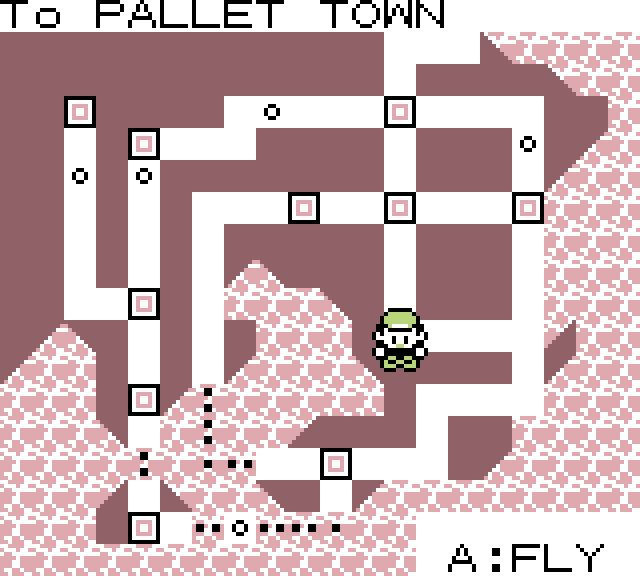
Open the Town Map to find your bearings. With Fly and the Thunder Badge, choose an eligible place you have already visited and confirm the trip. You can also choose FLY from a partner that knows it. The map remembers your last completed destination; cancelling a new choice does not change it.
Use an ESCAPE ROPE in an eligible cave or dungeon to return outside. A Pokémon’s learned DIG can provide an escape too. TELEPORT returns to your healing destination from eligible field locations, including caves. If the game refuses an escape, finish the current action or reach an eligible place.
For longer walks, hold B to run or use the always-run control. If you receive a Bike Voucher, ask around for a shop that will accept it. Once you have the Bicycle, use BICYCLE in KEY ITEMS to mount or dismount. Ordinary buildings dismount you; route-gate ground floors and the Underground Path let you ride through.
Keep useful items one button away
Open ITEM → KEY ITEMS, choose a useful field item such as the Bicycle, a rod, the Itemfinder or VS Seeker, then choose REGISTER. You have four quick-use slots. Registering another eligible item fills the next empty slot; UNREGISTER removes it.

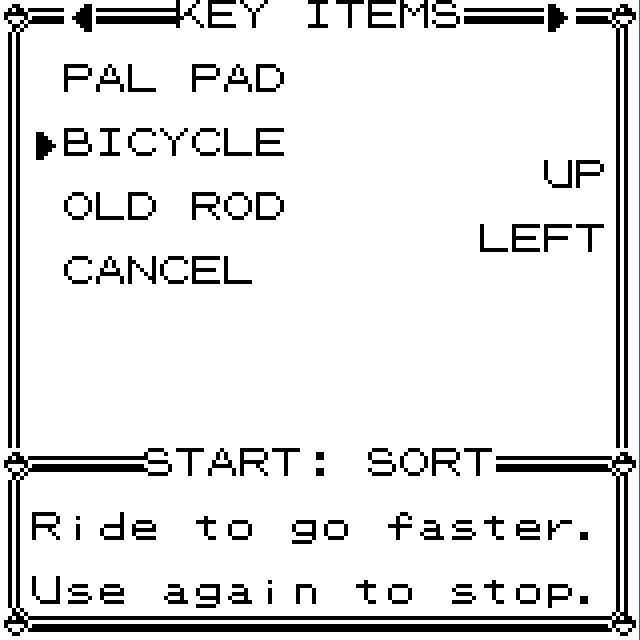
Press Select to use a single registered item. With several, press the direction shown beside the item you want; A uses the first available item. B, Select or Start closes the picker. The keyboard default for Select is Right Shift.
The catching guide explains rods; the team guide explains rematches. Registering makes those actions quicker without changing what they need.

Keep your Bag and collection in order
The Bag separates ITEMS, KEY ITEMS and TM/HM. Switch pockets to find the right tool and read its description. Press Start in the Bag to sort stacks by name or category. Items stay in the Bag rather than needing a separate item-storage PC.
At a Pokémon Center PC, choose BILL’s PC (SOMEONE’s PC before you meet Bill) to open your party beside the collection grid. Choose a Pokémon to inspect, withdraw, deposit or move it. MOVE or Select lifts it; choose the destination to move or swap, or press B to cancel. A click or tap opens its actions. You can also drag with a mouse; on touch, hold before dragging, or swipe to scroll.
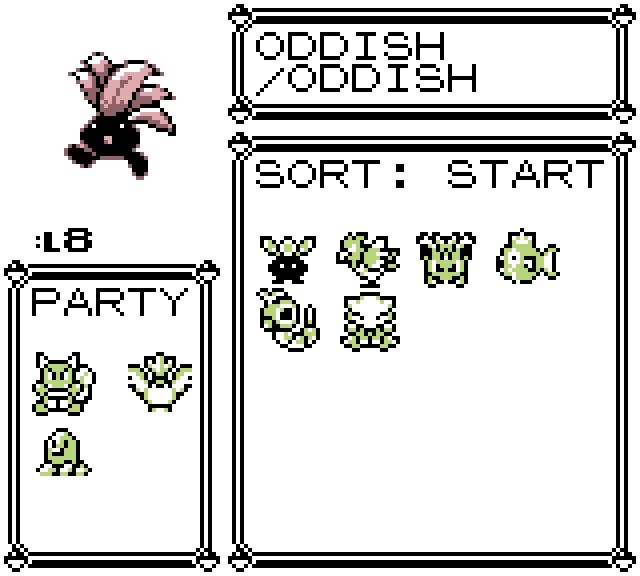
With the box selected, use Start for NAME, TYPE or POKéDEX No. sorting. The collection holds 1,000 Pokémon. Keep a healthy party member when depositing, and read the confirmation before releasing a Pokémon: release gives it up. RELEARN is also available here; see recovering a move.
Put spare money in the bank
Use a Pokémon Center’s PC and choose BANK ACCOUNT. Pick DEPOSIT to move carried cash into savings or WITHDRAW to bring it back. Choose an amount, check the question and confirm YES. NO or B keeps both balances unchanged.
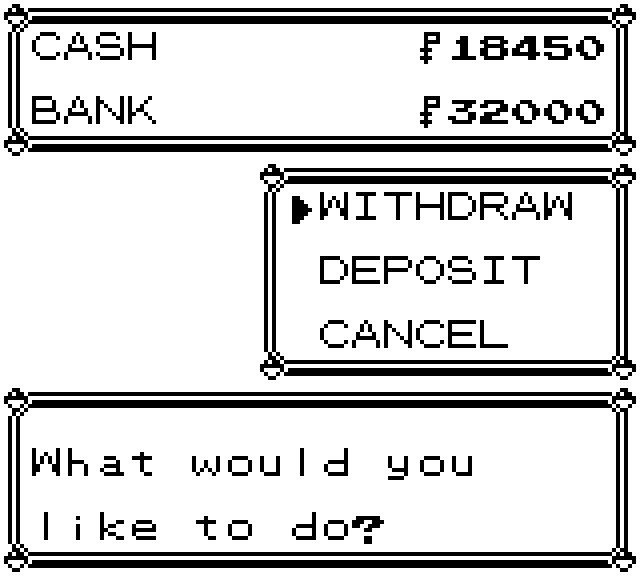
You can carry ₽999,999 and save up to ₽10,000,000 in the bank. Incoming money fills your wallet first, then available bank space. When money overflows into savings, read the receipt to see how much was deposited.
Shops, gifts you send and paid services use carried cash, so withdraw before shopping. A battle defeat takes from carried money while protecting your savings. The Richest leaderboard counts both balances together.