
Use A to choose and B to go back. Keyboard defaults: Z or Space for A, X or Esc for B, and Enter for Start.
Meet a Trainer and stay in touch
Once you have the PAL PAD, click a nearby Trainer in the world and choose ADD FRIEND. Confirm the request; the other Trainer must accept before the friendship opens private contact.
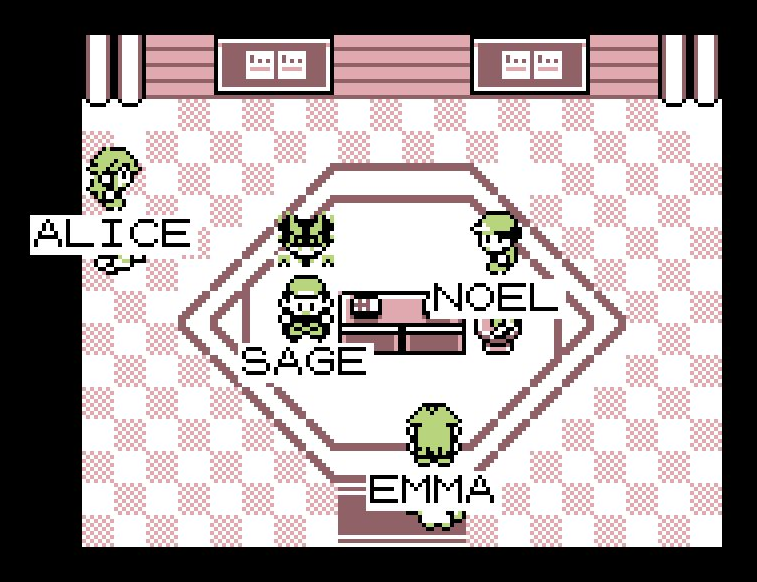
Use People to find nearby Trainers and manage friend requests. On a phone, open Menu first. For an accepted online friend on another map, open ITEM → KEY ITEMS → PAL PAD, choose the friend, then the action you want. Direct trade and battle invitations stay in these in-game menus.

If an action is unavailable, check that both players are online, have the Pal Pad and are free to respond. A Trainer visible across a map join may still be on a different map; meet on the same map for nearby actions.
Trade directly with another player
Click a Trainer on your map, choose TRADE/BATTLE, then TRADE. For an accepted online friend elsewhere, use the Pal Pad instead. Wait for the invitation to be accepted, then select a party Pokémon.
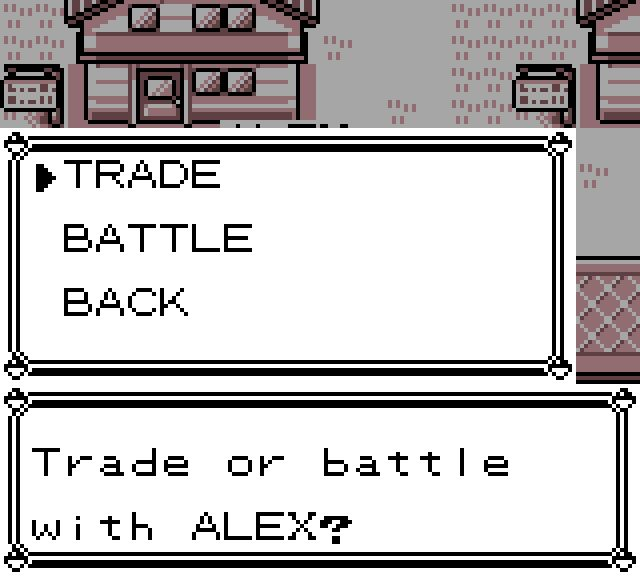
Both sides review the proposed exchange and confirm it. Check the species, level and original Trainer before agreeing. If either choice is wrong, cancel before committing. Let the transfer finish and press A when the received Pokémon is shown. Keep the game open until you return to the trade menu.
Trades exchange the actual Pokémon, including its moves and training. Received Pokémon can be above your current training limit; obedience still follows that limit. For trading with someone who is offline, post a Trade Station offer instead.
Browse the Trade Station
Go upstairs in a Pokémon Center and enter the left meeting room, Trade Station. Interact with either machine and choose BROWSE. You can also look through offers on the website, then return to the game to make the exchange.
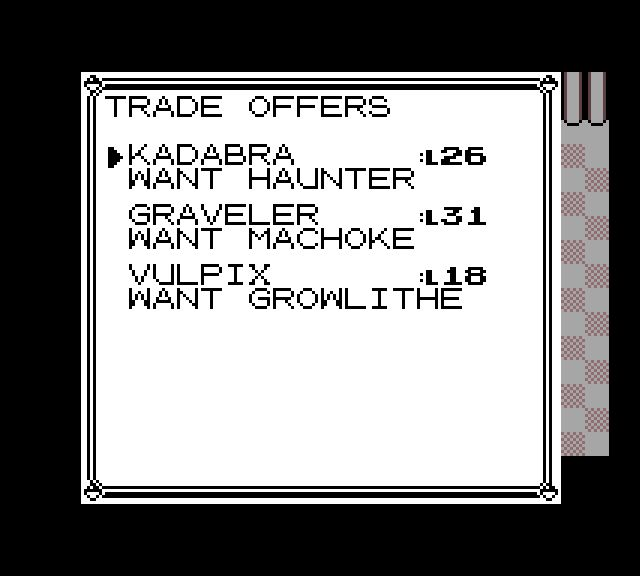
Each listing names the offered Pokémon, its level and the wanted species. You can browse offers for Pokémon you have not seen. Check your party and PC for the requested species before opening an exchange.
Check and accept an offer
Choose a listing to inspect it. OT means original Trainer; it can differ from the player posting the offer. Use A for actions and choose STATS to inspect the Pokémon more closely.
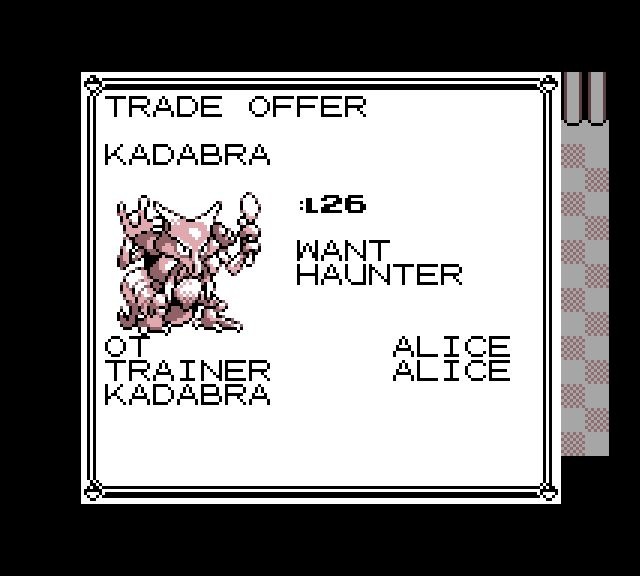
Choose TRADE, select the matching species from your party or PC, then read both sides of the final question. Confirm YES only for the exchange you want. No money is involved. The received Pokémon joins your party if there is room, otherwise your PC. Leave a healthy party Pokémon available and room to receive your new partner.
Post an offer that stays available
At the machine, choose DEPOSIT and select the Pokémon you want to offer from your party or PC. Next, choose the species you want in return. You can request species you have seen; unseen entries stay dashed.
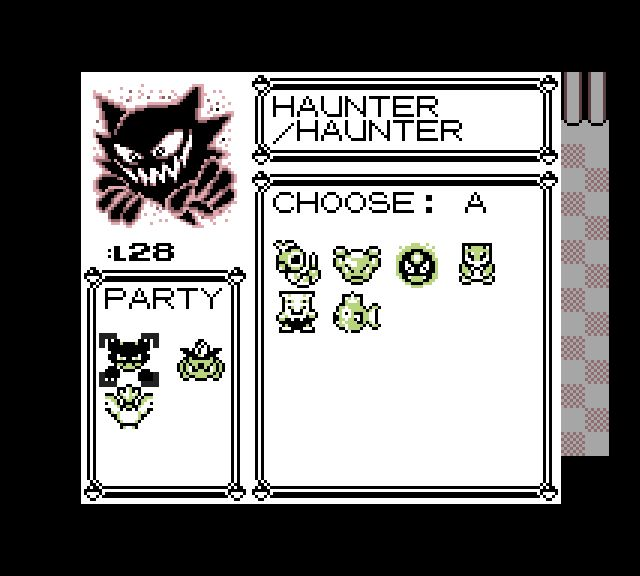
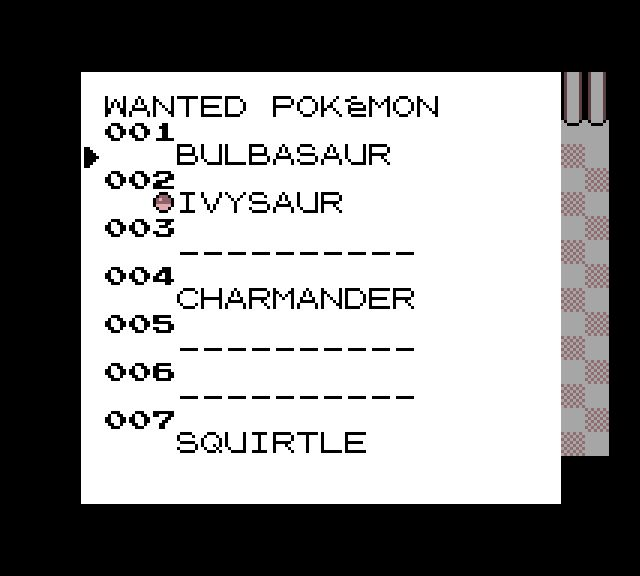
Read the confirmation and choose YES to deposit. That exact Pokémon leaves your usable team or PC while the offer is active. You can keep one deposited offer at a time, and other players can accept it while you are offline.
Return to MY OFFER to check its result or take back an available offer. An offer already held for an exchange cannot be withdrawn at that moment. Follow the game’s receipt when your Pokémon arrives and press A to finish receiving it.
Check what will evolve
Kadabra, Machoke, Graveler and Haunter evolve when traded. Their level alternatives and the full evolution instructions have one home in the catching and evolution guide.
For a fixed-price sale instead of a species swap, use buying and selling on PokéMarket. Its offers use the right meeting room.
Choose a player-battle format
Choose BATTLE from a nearby Trainer’s TRADE/BATTLE menu, or invite an accepted online friend through the Pal Pad. Choose a format before sending the invitation:
- NORMAL keeps your Pokémon’s levels.
- BALANCED uses level-50 teams and excludes Mewtwo.
- CANCEL returns without sending the invitation.
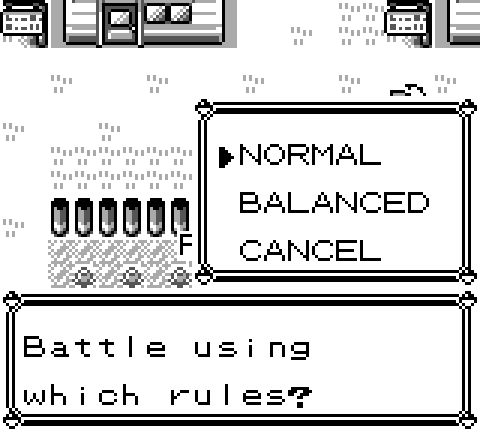
Both formats begin with healed battle copies, even if a partner in your adventure is fainted or has used its moves. Each turn waits for both players’ choices. Items cannot be used, and the battle awards no adventure EXP or prize money. Choose RUN to surrender.
When the battle ends, your adventure team’s HP, status, move uses and levels remain as they were before it. A lost connection ends the encounter; a battle without a confirmed result does not count as a win.
Give an item or money
Meet on the same map, click the other Trainer and choose GIVE. Choose an item and quantity, or enter a money amount. Check the recipient and amount before sending. The other player gets a YES/NO question naming you and the exact gift.
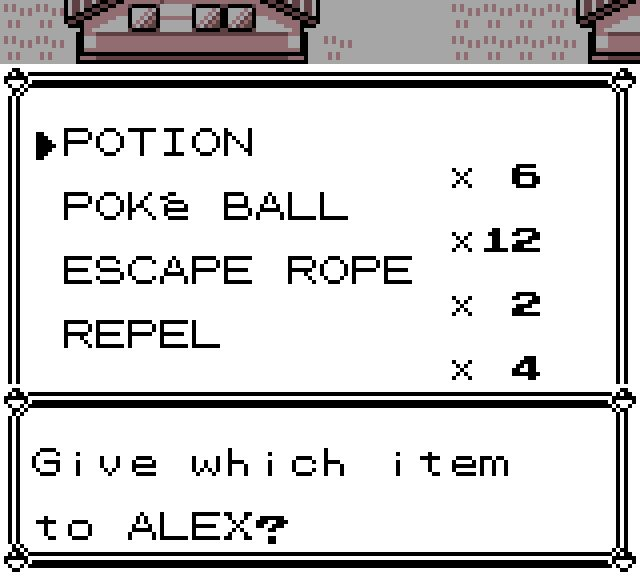
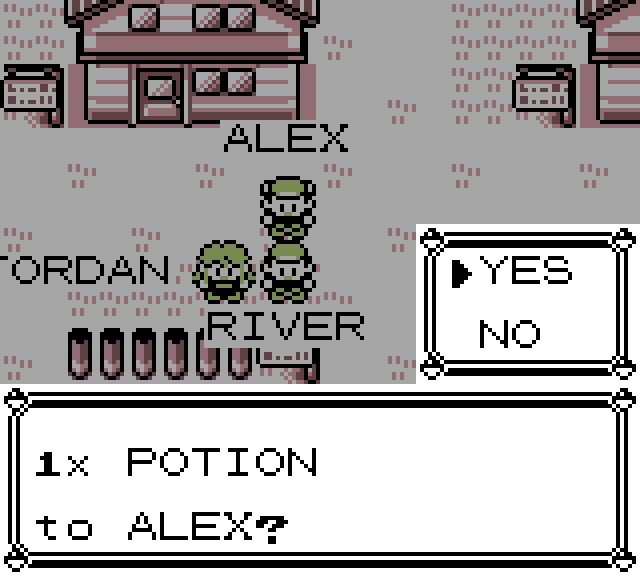
Keep the game open while it finishes. If the other Trainer refuses or the offer expires, your gift returns. If the game says an item cannot be given away, pick a different gift. Money gifts come from carried cash; withdraw savings first if needed.
Talk or watch while you play
Press C or choose Write a nearby message to speak in the world. Nearby messages are public to the players who can see them. Use Messages for a private conversation with an accepted friend instead.
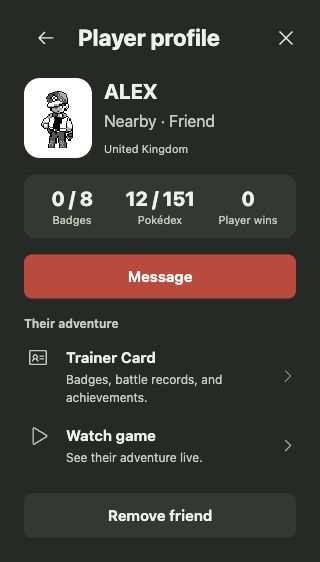
Open People, choose an available player and select Watch game to view their shared game while keeping your own adventure open. The viewer’s window or tab depends on your browser. Close the viewer when you are done; watching does not give control of the other game.
For any request, finish reading its names and choices before responding. If the other player is busy, let them finish and try again rather than opening another adventure in the same account.