

Use A to choose and B to go back. Keyboard defaults: Z or Space for A, X or Esc for B, and Enter for Start.
Find the PokéMarket room
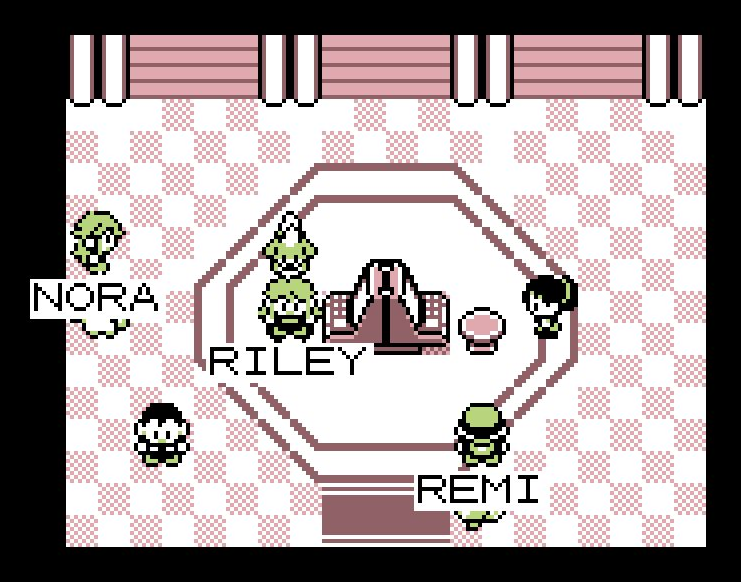
With the Pal Pad, go upstairs in a Pokémon Center and enter the right meeting room, PokéMarket. Interact with either machine to choose BUY, SELL or MY LISTINGS.
The website’s PokéMarket page helps you browse by species, type and price. Buying and listing happen through the game’s native menus. For a Pokémon-for-Pokémon exchange, use the Trade Station instead.
Compare Pokémon for sale
Choose BUY. Each row shows a Pokémon, level, price and seller. Browse with the directions or scroll through the list; Start or Select changes its sort order. A listing can remain available while its seller is offline.
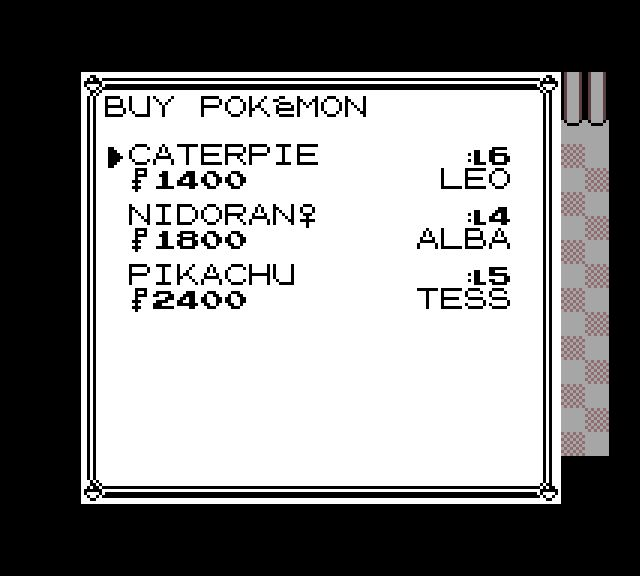
Bring enough carried cash and leave room in your party or PC. Money in the bank needs to be withdrawn before spending.
Inspect the Pokémon
Choose a listing and check the species, level, price and seller. OT means original Trainer; it may differ from the seller. Press A to open the actions, then choose STATS for HP, status, type and battle stats. Use B to return.
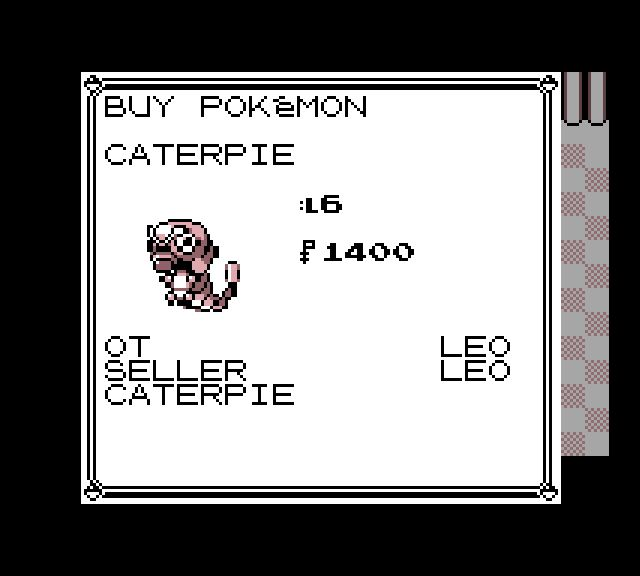
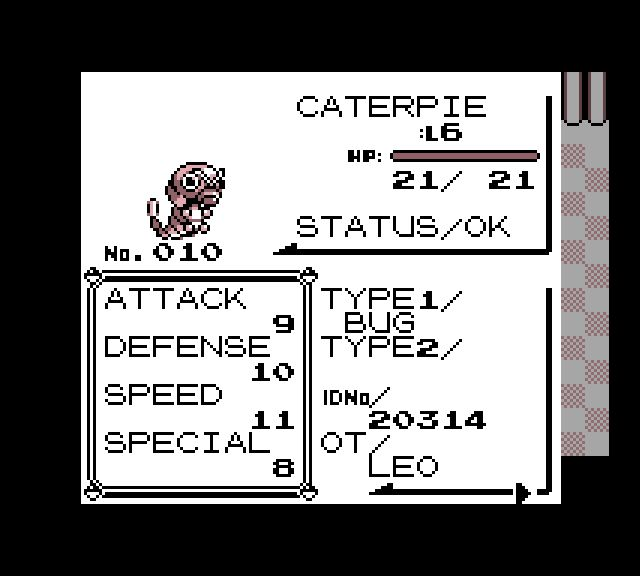
The Pokémon keeps its moves, training, nickname and original Trainer when bought. A higher-level purchase does not bypass your obedience limit. Check those details before choosing a teammate.
Confirm a purchase
Choose BUY from the offer’s actions. Read the Pokémon’s name and price on the final question. YES buys it; NO returns without buying. You cannot buy your own listing.
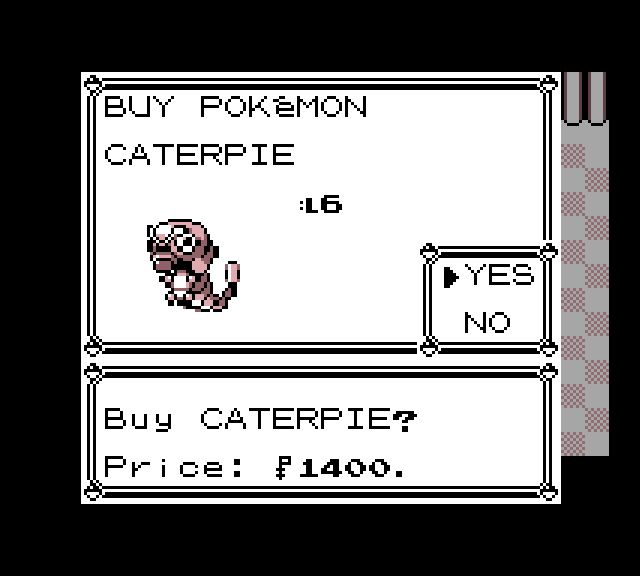
Let the arrival sequence finish and press A on the received Pokémon. It joins the party if there is room, otherwise your PC. A trade evolution can happen on receipt; see the evolution guide for those species.
List one of your Pokémon
Choose SELL, then pick a Pokémon from the party tray or PC grid. Enter a price between ₽100 and ₽999,999, read the final details and confirm. There is no listing fee. You can keep three active listings at a time.
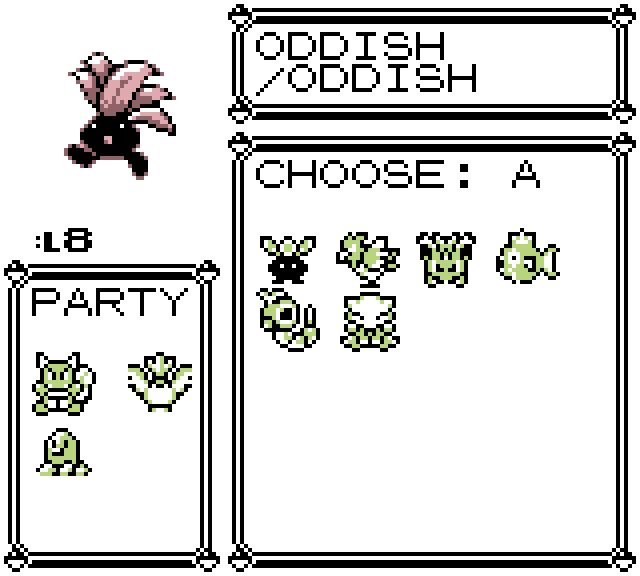
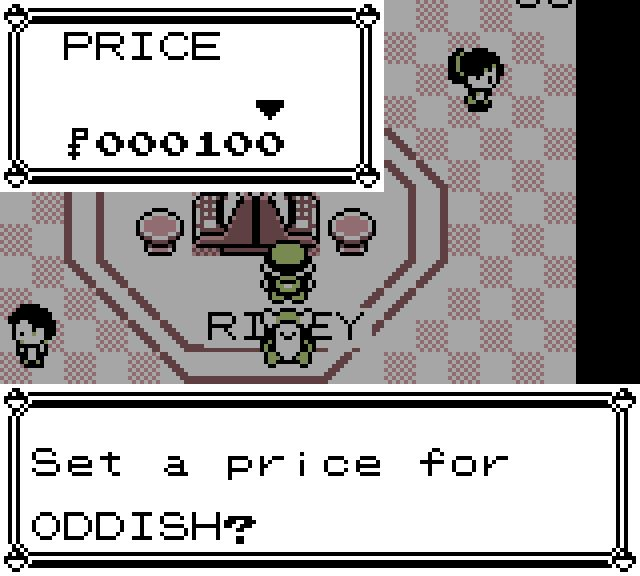
Listing removes that exact Pokémon from usable storage until it sells or you cancel. You cannot list your last party Pokémon or your last healthy battler. If a Pokémon is protected from sale, choose a different partner.
A listed price cannot be edited. To choose a new price, take back an available listing through MY LISTINGS and list it again. Read a low-price warning carefully; it is a chance to check your amount before committing.
Check sales and take back an offer
Open MY LISTINGS to see your active and sold entries. Select an available listing and follow its cancellation question to return the Pokémon. Leave storage room for that return. A listing already held by a buyer needs its current exchange to finish before you can cancel it.

When a sale completes, the game reports it and settles the proceeds. Incoming money fills carried cash, then bank space; keep room in those balances so a waiting payment can finish. Reopen the game after an offline sale and finish any pending receipt.
If a connection is interrupted, return to the same adventure and follow its recovery message. Check MY LISTINGS or your received Pokémon before trying again. The listing and its receipt identify the exchange; you do not need to start another save.