
Use A to choose and B to go back. Keyboard defaults: Z or Space for A, X or Esc for B, and Enter for Start.
Read your Pokédex
Open Start → POKéDEX. SEEN counts species you have encountered; OWN counts species you have obtained. A Poké Ball beside a name marks an owned species. A name without the marker is seen but not owned, while dashed entries are unseen.
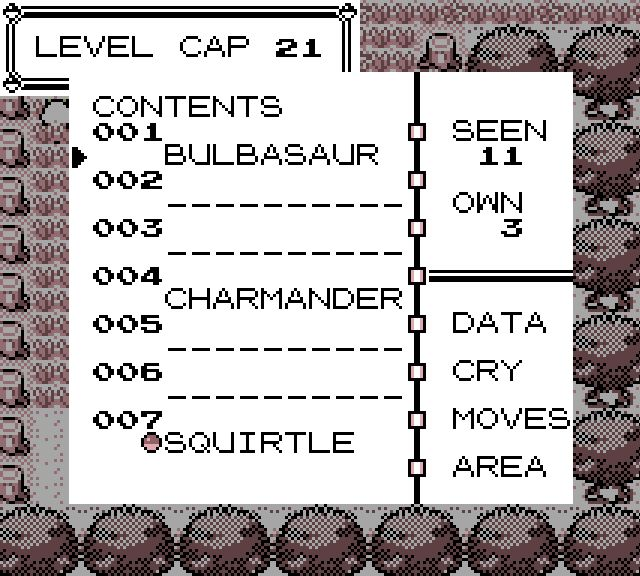
Pick one gap at a time. A missing Pokémon may come from the wild, an evolution, a gift, a fossil or a trade. Catching a species once records it even if you later evolve or trade that individual.
Find a place to search
Choose a known species, then AREA. The map marks its recorded wild habitats, including fishing spots. If no habitat is marked, check its evolution information and keep listening for other ways to meet Pokémon as you explore.
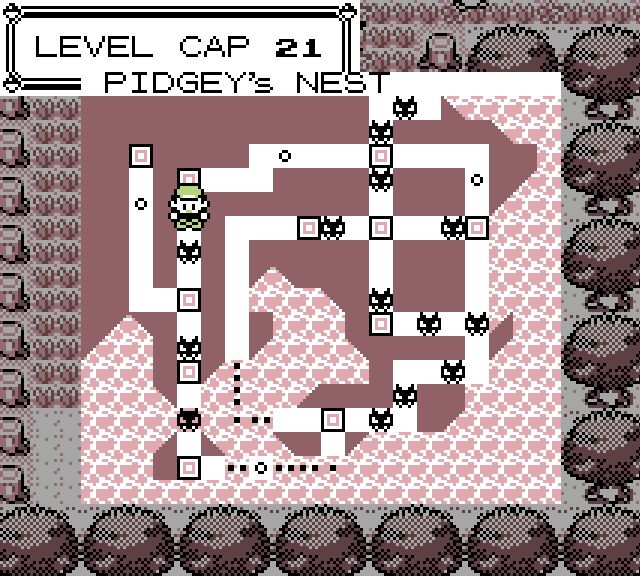
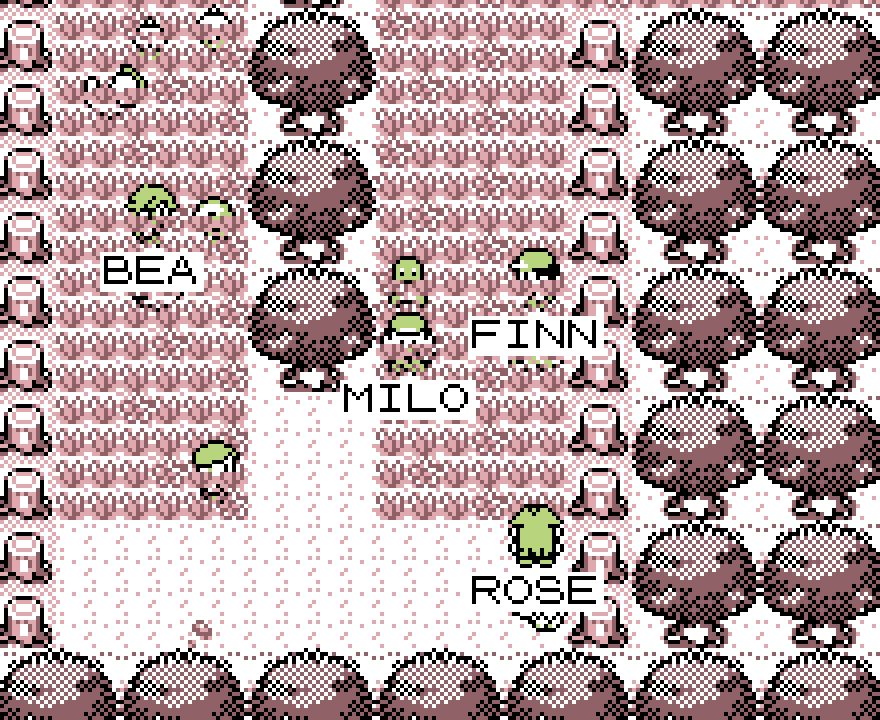
Explore the matching grass, cave, water or fishing shore. Local Pokémon wandering around can give you clues about where to search. If you are looking for a weaker Pokémon, remember that a Repel can keep suitable wild encounters away.
Some encounters differ between Red Version and Blue Version. Compare the Pokémon you have found with other Trainers’ collections. For a species your own adventure has not supplied, find a trade or check PokéMarket.
Make the catch easier
Weaken a wild Pokémon without knocking it out. Sleep or paralysis can help you catch it; poison and burns can help too, but their damage may end the encounter before your next throw. Use ITEM to choose a Poké Ball, Great Ball or Ultra Ball. Stronger balls improve your chance, rather than guaranteeing a catch.
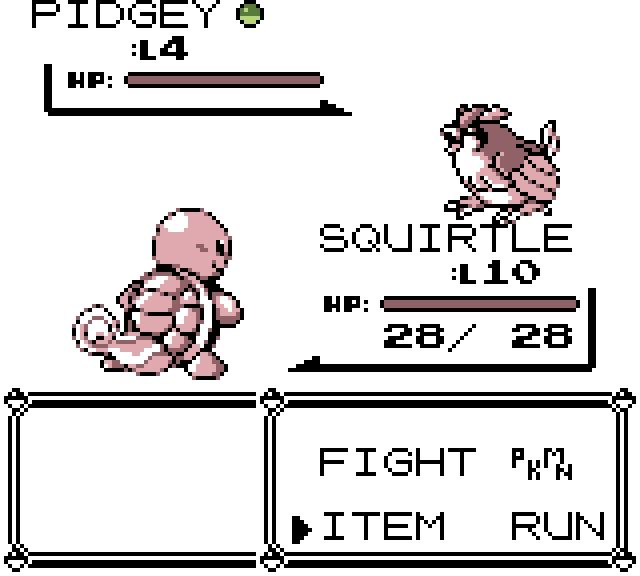
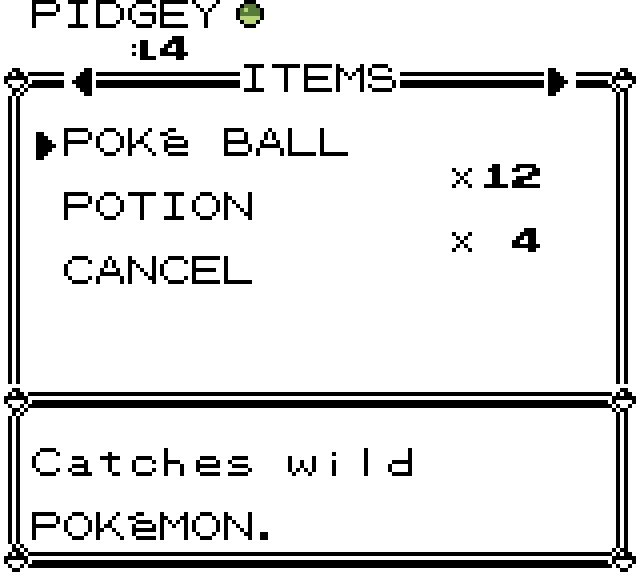
You cannot catch another Trainer’s Pokémon. When a wild catch succeeds, read the new Pokédex entry and choose a nickname if asked. If your party is full, the catch goes to your PC and you can choose whether to swap it into the team. Cancelling that swap keeps it safely in the PC. Keep storage space available before a long catching trip.
Try each fishing rod
Talk to fishermen you meet during your journey. Once you have a rod, try it at different shores. Other rods can open up new catches later, so keep listening to the people you meet.
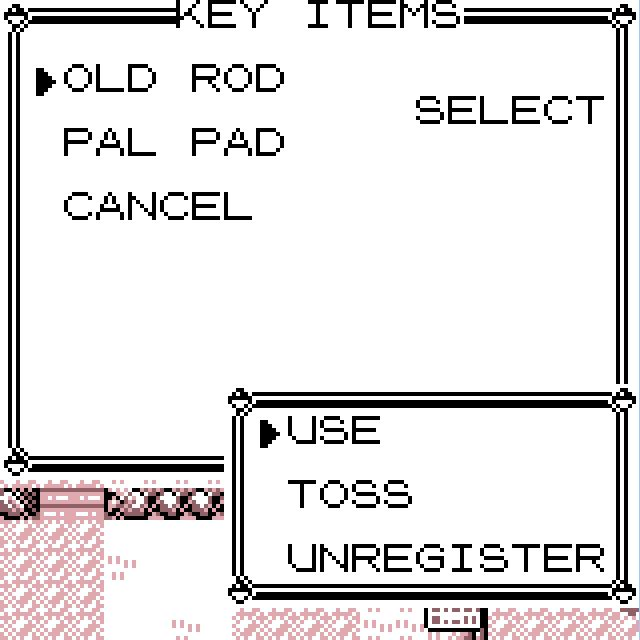
Stand on land facing water, choose a rod from KEY ITEMS and use it. A bite leads to a wild encounter. Rods have different catch tables, so change rod as well as location when looking for something new. After the encounter or an unsuccessful cast, choose YES to fish again or NO to stop. You cannot cast while Surfing.
Register a rod for quicker casts. Pokédex AREA can help narrow the search once you have seen the species.
Plan a Safari Zone visit
Enter from northern Fuchsia and pay ₽500 for 30 Safari Balls and 500 walking steps. Check the remaining steps and balls in Start. Menus and battle choices do not spend walking steps, so take time to decide.
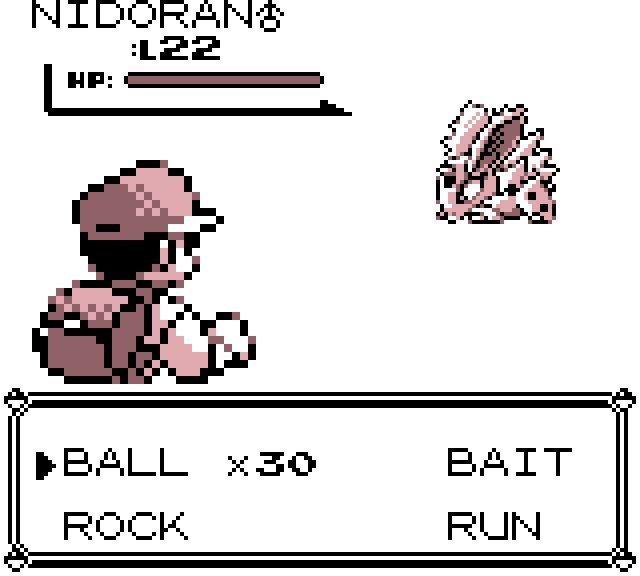
In a Safari encounter, choose BALL to throw, BAIT to make the Pokémon less likely to flee but harder to catch, or ROCK to make it easier to catch but more likely to flee. RUN leaves that encounter. Your own team does not attack, and ordinary Bag balls are not used.
Search different areas and fishing shores for different species. Leave yourself enough steps to follow a new path or investigate something interesting. Running out of time or balls ends the visit; your completed catches remain yours.
Check evolution methods before levelling
Open a known species’ Pokédex entry and choose DATA. Use A to read the description, Left and Right to change information pages, and Up and Down to browse known Pokémon. The evolution page shows the current requirements, with unseen target names kept hidden.
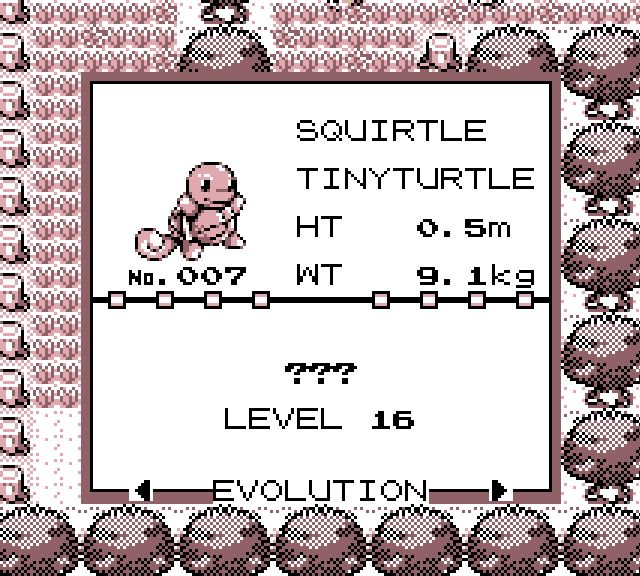
For a level evolution, reach the listed level and finish the evolution sequence. For a stone evolution, select a stone you own in ITEM and choose a compatible party Pokémon. Read the choice before confirming: a stone is spent when it works. If you need a different stone, keep exploring and check the shops you discover.
Finish a delayed evolution
If you cancelled an evolution or collected an eligible Pokémon from the Day Care, open POKéMON, choose that partner and look for EVOLVE!. It appears when a level evolution is ready, including at level 100. Choose it to begin the normal sequence without needing another level, item or payment.
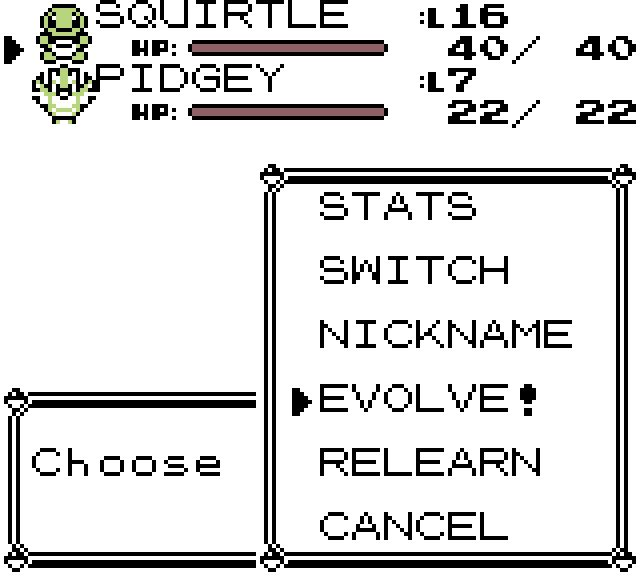
This option does not replace a stone requirement. To work on moves before evolving, use the free RELEARN action and compare the current learnset.
Evolve with a trade or a later level
These four Pokémon evolve when received through a trade. They also have a level alternative, so you can finish their evolution without finding another player. Trading can evolve them earlier.
| Pokémon | Evolution | Level |
|---|---|---|
| Kadabra | Alakazam | 42 |
| Machoke | Machamp | 38 |
| Graveler | Golem | 38 |
| Haunter | Gengar | 42 |
The direct trade and Trade Station instructions explain how to make the exchange. Check your training limit before planning a level-based evolution.
Choose Eevee’s evolution
Once you have Eevee, use a Water Stone for Vaporeon, Thunder Stone for Jolteon or Fire Stone for Flareon. A stone is spent when it works, so decide which partner you want before confirming.
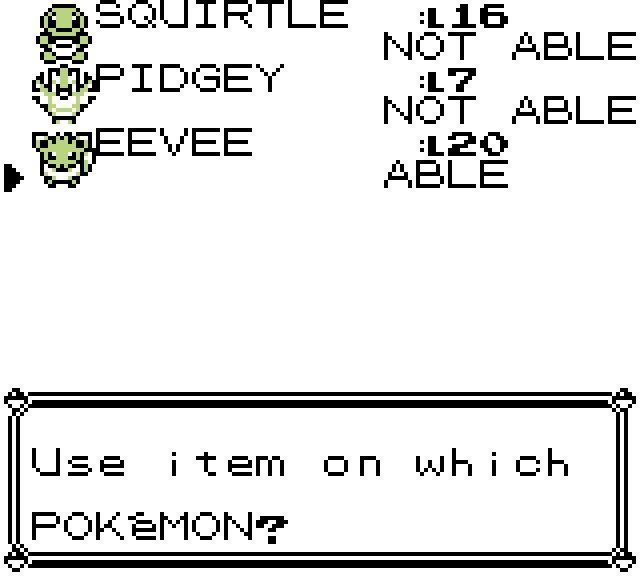
To collect all three, you need more than one Eevee. You can obtain more Eevee later in the adventure. Keep exploring, or look for a trade if you want another partner sooner.
Look beyond wild encounters
Fossils: if you find one, ask researchers you meet about bringing it back to life. When someone offers to help, choose the fossil and read the question before confirming. Keep room in your party or PC for the result.
NPC trades: talk to residents and bring the requested species in your party. Their requests give you a reason to search for a new partner. Read both sides before agreeing. Wait through the transfer and press A on the received Pokémon to finish.
Game Corner: once you have a Coin Case, compare the prize counter’s offers. Read the Pokémon, level and coin cost before choosing. The main Game Corner counter sells coins; its prizes differ by edition.
Other opportunities: listen to people’s requests and follow up on promises as your adventure progresses. A place you have already visited can be worth another look. Keep the Pokédex as your checklist, then choose the next catch, evolution or exchange.